
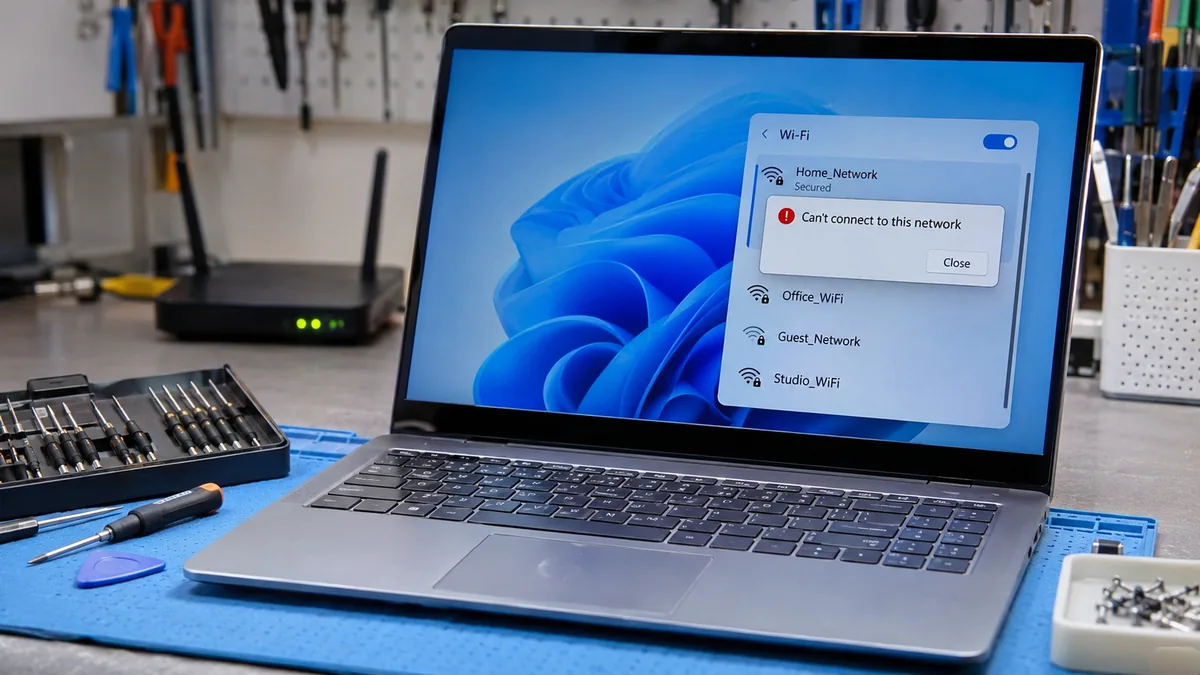
Quick Answer
The most likely cause is a corrupted saved network profile or a security mismatch between the router and your Wi-Fi adapter. Forget the network, restart the router, and reconnect with a fresh password entry. If that fails, set the router to WPA2 Personal with AES. Most home laptops connect within five minutes.
Introduction
You type the right password and Windows 11 still says it can’t connect, or that the network security key isn’t correct. Sometimes the password prompt loops. On work and school networks, the sign-in simply fails with no useful message. This guide separates home failures from enterprise failures, then walks through eight fixes from free and fast to hardware.
Symptoms

- “Can’t connect to this network” appears right after you enter the password
- “The network security key isn’t correct” appears when the password is right
- Windows asks for the password again and again
- The laptop joins a phone hotspot but rejects the home router
- Phones and other laptops join the same network without trouble
- Work or school Wi-Fi fails with a certificate or sign-in prompt, and the same laptop worked on Windows 10
- Wi-Fi was fine until a Windows or driver update
- Event Viewer logs “802.1X wireless authentication failed”
- The connection succeeds, then drops within seconds
What Causes Windows 11 WiFi Authentication Problems
- Corrupted saved network profile. Windows keeps old keys and security settings after the router password or settings change.
- How to identify it: Only this one network fails while other networks connect.
- Confirmation sign: Forgetting the network and reconnecting works on the first try.
- Security mode mismatch. Routers set to mixed WPA2/WPA3, or to legacy TKIP, can confuse the adapter or its driver during the key exchange.
- How to identify it: The failure began after a router change, or older devices connect while this laptop gets a key error.
- Confirmation sign: Switching the router to WPA2 Personal with AES makes the laptop join at once.
- Certificate, 802.1X, or update failure on work and school Wi-Fi. Enterprise networks use certificate sign-in, and a wrong system clock, expired certificate, Credential Guard policy, or faulty update breaks it. Microsoft confirmed in December 2023 that KB5032288 and KB5033375 broke some Wi-Fi connections on Windows 11 22H2 and 23H2, mostly on 802.1X networks, and fixed it with a Known Issue Rollback.
- How to identify it: The network is a campus, office, or public network with a sign-in step.
- Confirmation sign: Event Viewer shows “802.1X wireless authentication failed,” or another device signs in fine with the same login.
How to Fix Windows 11 WiFi Authentication Problems

Fix 1: Restart the Router and Laptop
Cost: Free | Time: 5 minutes | Difficulty: Easy
- Shut down the laptop completely.
- Unplug the router power cable and wait 30 seconds.
- Plug the router back in and wait until the lights settle.
- Start the laptop and reconnect.
Expected Result: A stuck authentication session clears and the laptop joins. If Failed: Go to Fix 2.
Fix 2: Forget the Network and Reconnect
Cost: Free | Time: 3 minutes | Difficulty: Easy
- Open Settings > Network & internet > Wi-Fi > Manage known networks.
- Select the network and click Forget.
- Turn Wi-Fi off, then on.
- Select the network, click the eye icon while typing the password, and check every character.
Expected Result: Windows builds a fresh profile and joins. If it joins but pages never load, follow our guide on laptop WiFi says secured but no internet. If Failed: Go to Fix 3.
Fix 3: Match the Router Security Mode
Cost: Free | Time: 10 minutes | Difficulty: Moderate
- Open the router admin page, usually 192.168.1.1 or 192.168.0.1, and sign in.
- Open the wireless security settings.
- Set the mode to WPA2 Personal with AES encryption.
- Save, wait for the router to apply the change, then forget and re-add the network on the laptop.
Expected Result: Router and adapter agree on the security type, and the key exchange completes. All other devices reconnect after the change, so keep the password handy. If Failed: Go to Fix 4.
Fix 4: Sync the Clock and Windows Time Service
Cost: Free | Time: 5 minutes | Difficulty: Easy
- Open Settings > Time & language > Date & time.
- Turn on Set time automatically, then click Sync now.
- Press Win + R, type services.msc, and press Enter.
- Open Windows Time, set Startup type to Automatic, and click Start.
Expected Result: Certificate date checks pass, which matters most on work and school networks. If Failed: Go to Fix 5.
Fix 5: Roll Back or Reinstall the Wi-Fi Driver
Cost: Free | Time: 15 minutes | Difficulty: Easy
- Press Win + X and open Device Manager.
- Expand Network adapters, right-click the Wi-Fi adapter, and open Properties > Driver.
- If the problem started after a driver update, click Roll Back Driver and restart.
- Otherwise, download the Wi-Fi driver for your exact model from the Dell, HP, Lenovo, ASUS, Acer, or MSI support page and install it.
Expected Result: The adapter negotiates security correctly. Our guide on laptop WiFi disconnects randomly on Windows 11 covers a deeper driver reinstall. If Failed: Go to Fix 6.
Fix 6: Repair the Work or School Network Profile
Cost: Free | Time: 20 minutes | Difficulty: Moderate
- Forget the network under Manage known networks.
- Reconnect through your IT team’s setup tool or profile, so the certificate and authentication method install together.
- If the failure began right after a Windows update, open Settings > Windows Update > Update history > Uninstall updates, remove the newest one, and restart.
- If it still fails, send IT the Event Viewer error, since Credential Guard policy may need changing on their side.
Expected Result: The sign-in prompt completes and the certificate is trusted. If Failed: Go to Fix 7.
Fix 7: Run a Network Reset
Cost: Free | Time: 10 minutes | Difficulty: Moderate
- Write down your saved Wi-Fi passwords first.
- Open Settings > Network & internet > Advanced network settings > Network reset.
- Click Reset now and confirm.
- Reconnect after the laptop restarts.
Expected Result: Every network adapter and profile rebuilds from scratch. If Failed: Go to Fix 8.
Fix 8: Test a USB Adapter, Then Reseat the Wi-Fi Card
Cost: Free to reseat, or $15 to $50 for a replacement card | Time: 30 to 45 minutes | Difficulty: Hard
- Plug in a USB Wi-Fi adapter or use a phone hotspot to confirm the internal card is the fault.
- Shut down, unplug the charger, and remove the bottom panel.
- Disconnect the internal battery connector before touching anything.
- Reseat both antenna cables and the M.2 Wi-Fi card, then reassemble and test.
Expected Result: The connection authenticates and holds. If Failed: Replace the card, or hand the laptop to a technician.
Mistakes to Avoid
Running Network reset first. It erases every saved Wi-Fi network and VPN profile on the laptop. Record your passwords and export VPN settings before you click it.
Switching the router to open, WEP, or TKIP to force a connection. It works because the protection is gone, and anyone nearby can then read your traffic. Stay on WPA2 Personal with AES.
Deleting a work or school profile without IT’s setup tool. The installed certificate can disappear with it, and IT may have to reissue it. Ask IT before removing the profile.
Opening the chassis with the battery connected. A slipped screwdriver near the Wi-Fi card can short the board and kill the laptop. Disconnect the battery connector first, every time.
When to Stop and Get Professional Help
Stop if the laptop took liquid damage, smells burnt, runs hot near the Wi-Fi card, or the battery looks swollen or lifts the bottom panel. Stop too if a USB Wi-Fi adapter also fails to authenticate on a network that works for other devices. Both cases point to deeper power or board faults that a technician should test.
Prevention Tips

- After any router change, note the new security mode and password, then forget and re-add the network on every laptop.
- Keep the router on WPA2 Personal with AES unless every device on it supports WPA3.
- Install the Wi-Fi driver from your laptop maker’s support page after each major Windows update.
- On a work or school laptop, leave date and time on automatic so certificate checks keep passing.
- Check Microsoft’s Windows release health page for known Wi-Fi issues before installing an optional update.
Frequently Asked Questions
Why does Windows 11 say the network security key isn’t correct when my password is right? A stale saved profile or a security mode mismatch is the usual cause. Forget the network, reconnect, and confirm the router uses WPA2 Personal with AES.
Why does my laptop connect to a phone hotspot but not my home Wi-Fi? The adapter works, so the fault sits in the saved profile or the router security settings. Forget the home network and test WPA2 Personal with AES on the router.
Why does school or work Wi-Fi fail on Windows 11 when Windows 10 worked? Enterprise networks use certificate sign-in, and clock errors, Credential Guard policy, or a faulty update can break it. Reload the profile from IT and send them the Event Viewer error.
Is a network reset safe? Yes, it removes saved Wi-Fi networks and VPN profiles but leaves your files alone. Use it only after Fixes 1 to 6.
Conclusion
Most Windows 11 Wi-Fi authentication failures come from a corrupted saved profile, a router security mismatch, or a certificate problem on work and school networks. Forgetting the network and matching the router to WPA2 Personal with AES is the best first fix for home setups. Get a technician involved if a USB Wi-Fi adapter fails too, or if you see liquid damage, heat, or battery swelling.